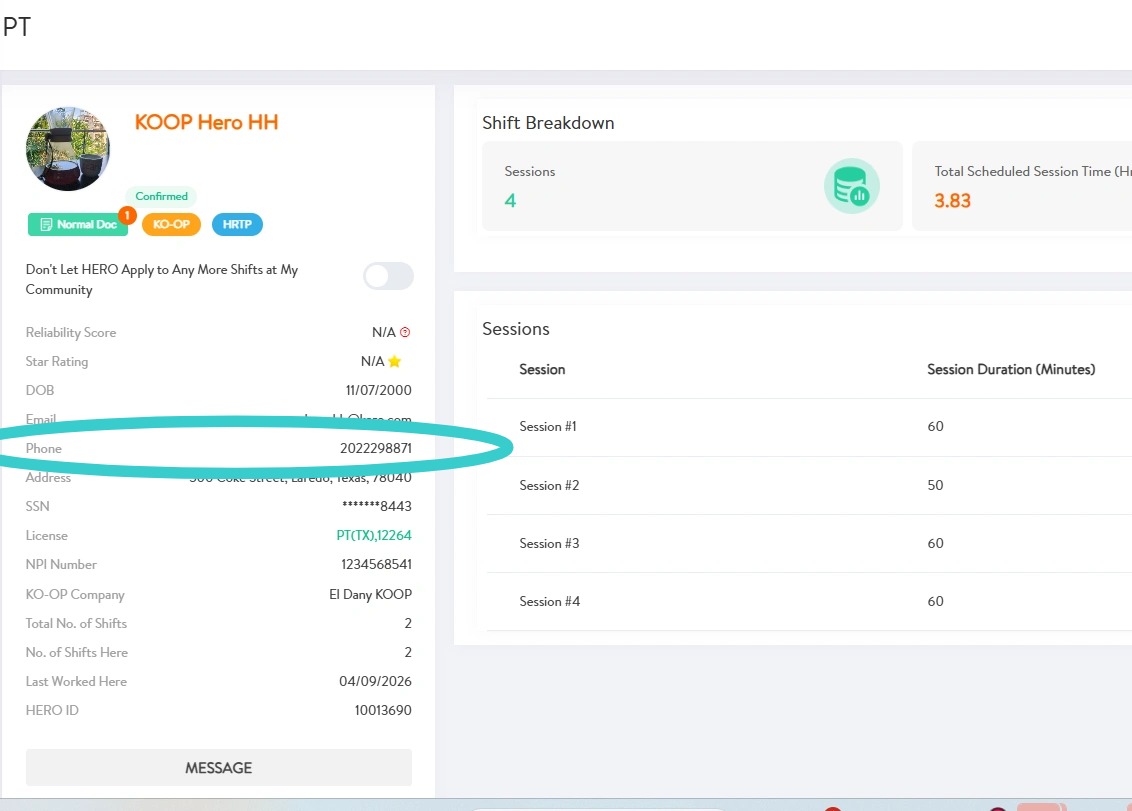

How to Monitor and Manage Therapy Shifts
This guide shows how managers can monitor shift statuses on KARE to maintain visibility into coverage, and how to communicate with HEROs using direct messaging.
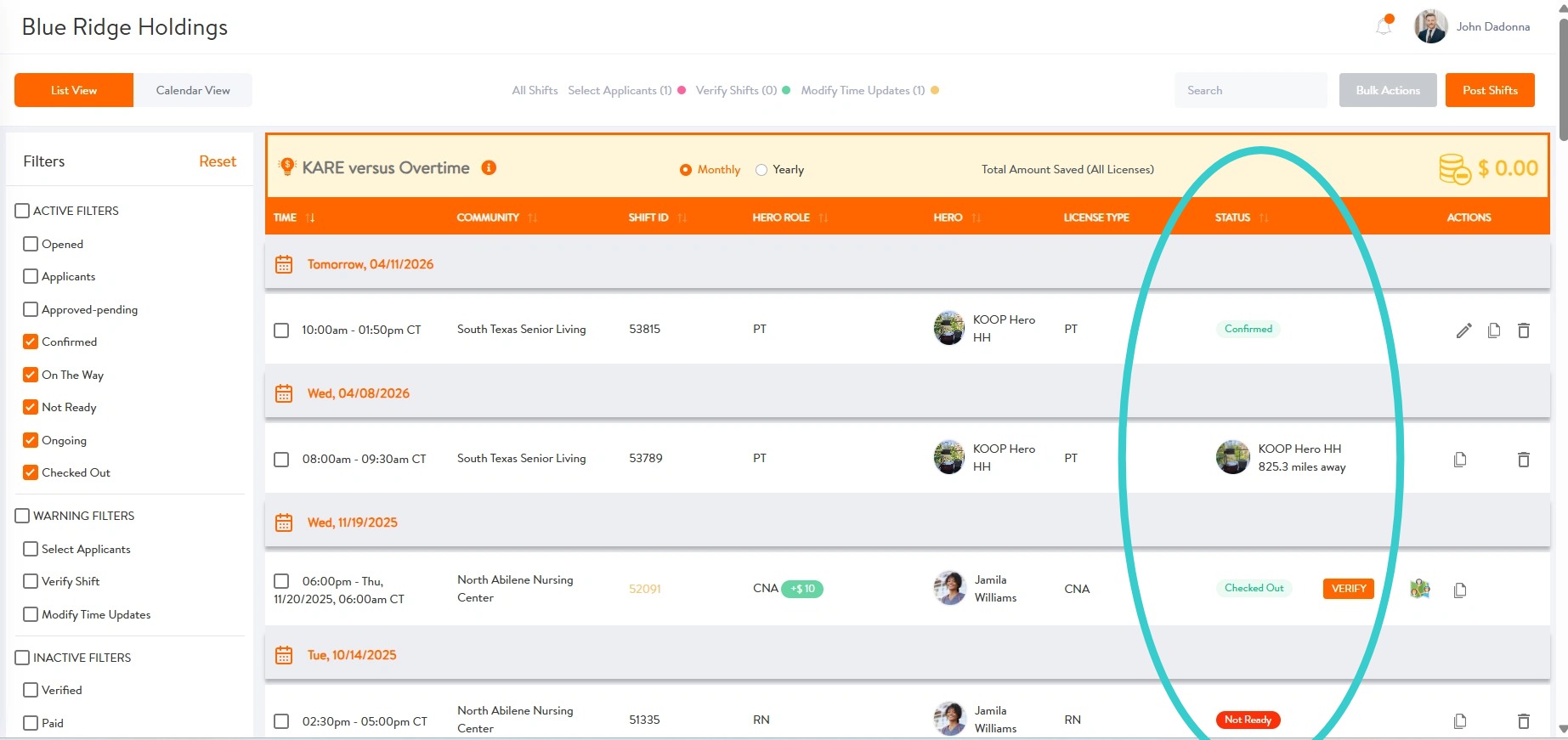
1. Status badges on shifts allow managers to monitor coverage in real time:
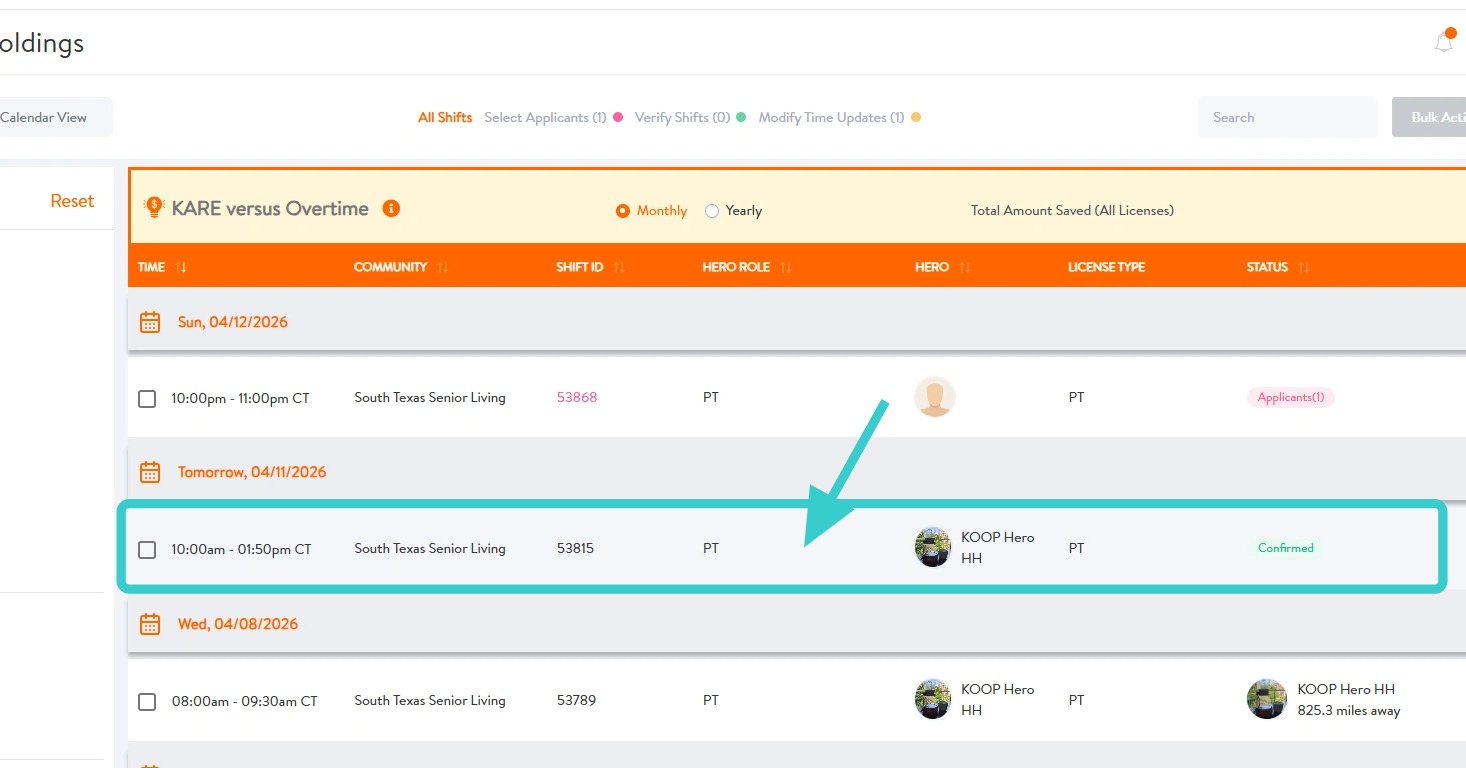
- Confirmed – The therapy HERO has accepted the shift. This status remains until 2 hours before the scheduled start time.
- On the Way – The HERO has tapped Ready to Go and is en route to the community.
- Not Ready – The HERO has not yet tapped Ready to Go after receiving the 2-hour notification.
- Ongoing – The HERO has arrived and Checked In to begin the shift.
- Checked Out – The HERO has completed the shift and checked out. The shift is ready for manager review and verification.
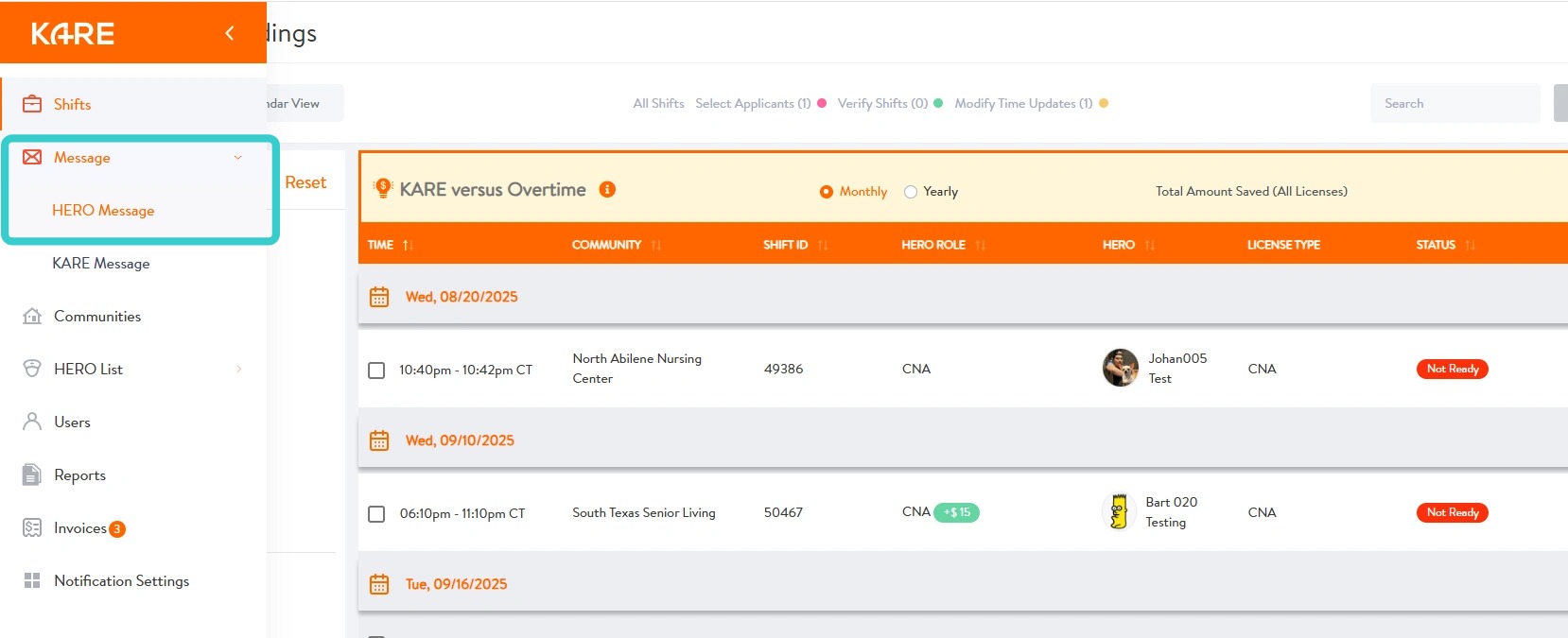
2. Managers can communicate with HEROs directly through the app using messages.
- To send a message, navigate to Messages in the sidebar and select HERO Message.
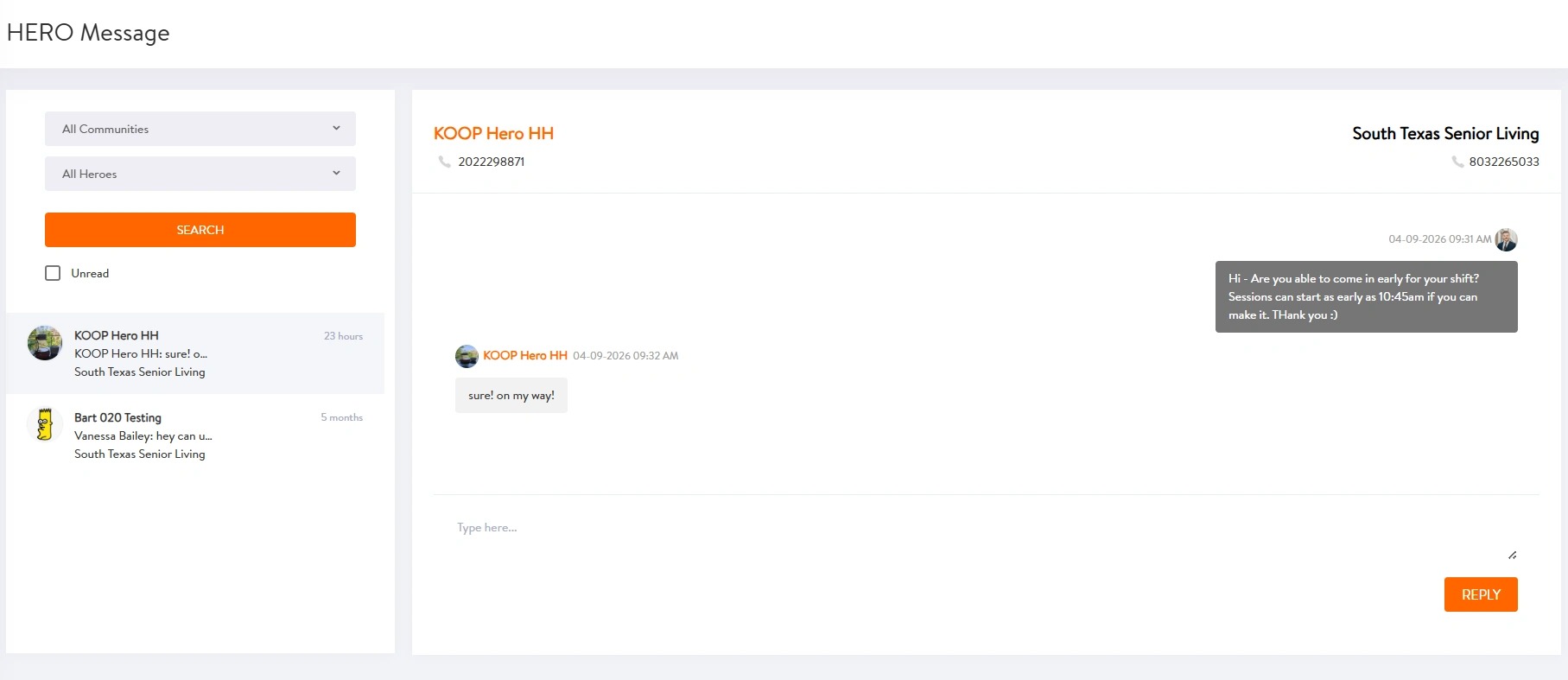
3. Find the HERO to message, type message, and send.
4. HEROs may also be messaged by clicking on the shift.
5. Then select MESSAGE
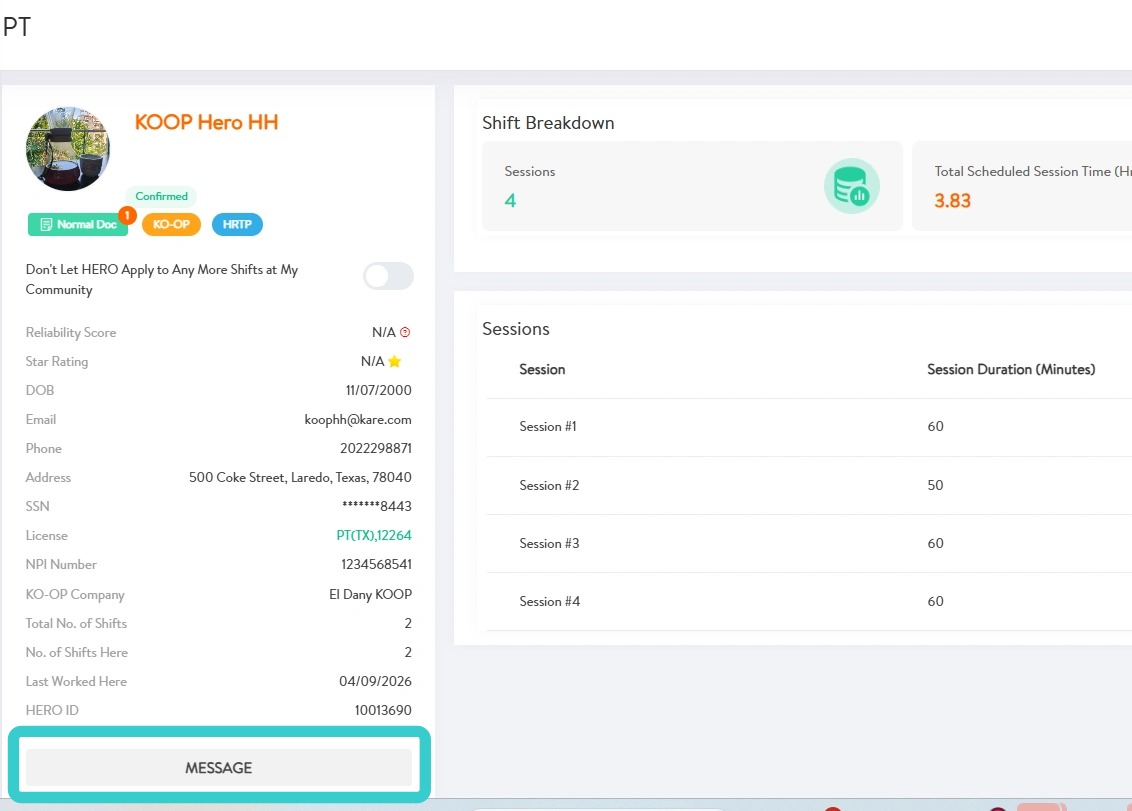
6. Within the shift details, managers can also view the HERO’s phone number and contact them directly by phone.