
AI-Enhanced Resumes via Know
This guide walks a HERO/Candidate through how to use the resume enhancement feature. When a HERO/candidate uploads their resume, they have the option to receive AI-powered enhancements that improve clarity, structure, and overall presentation of their resume for improved chances of matching with employers and being hired. These enhancements provide tailored suggestions and formatting updates to help users showcase their experience more effectively.
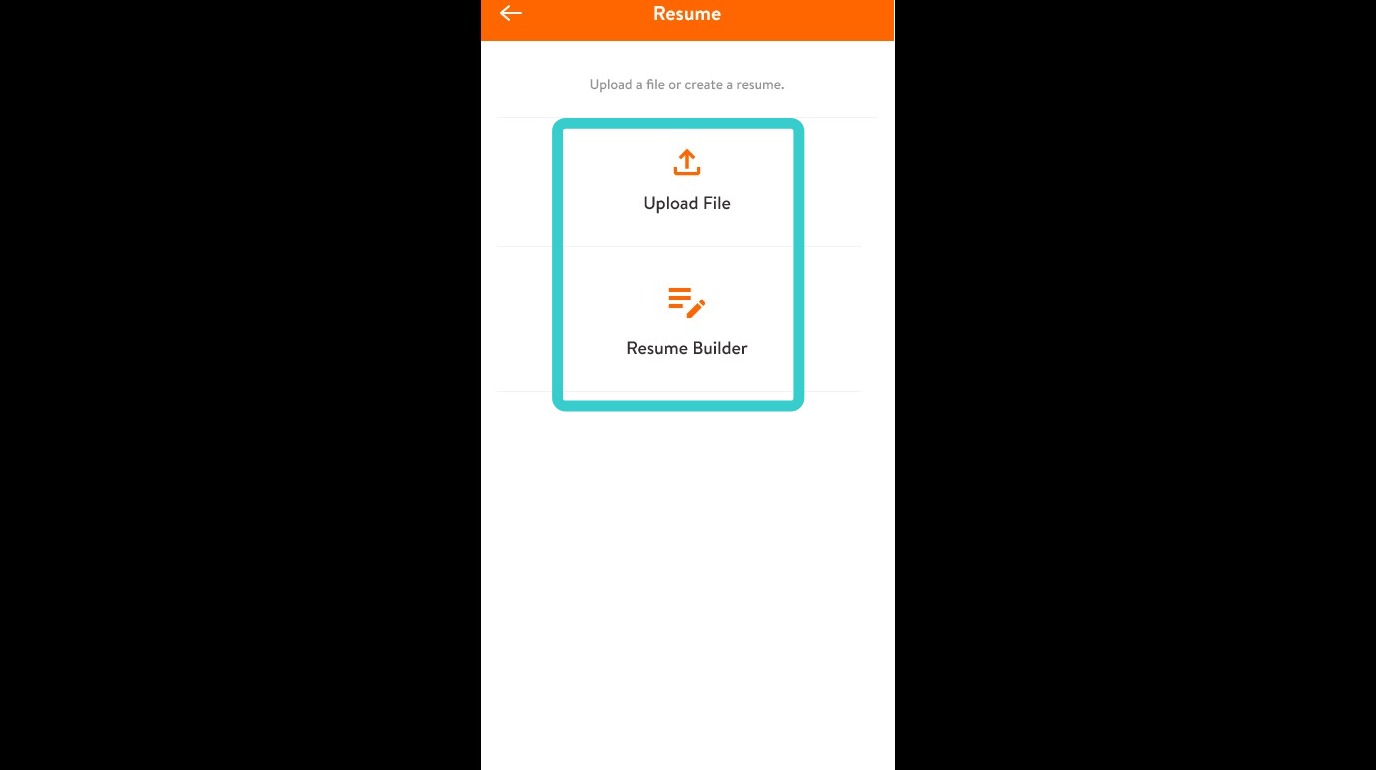
1. During profile creation, tap Upload File to upload a resume or Resume Builder to enter in details and allow the app to build a resume.
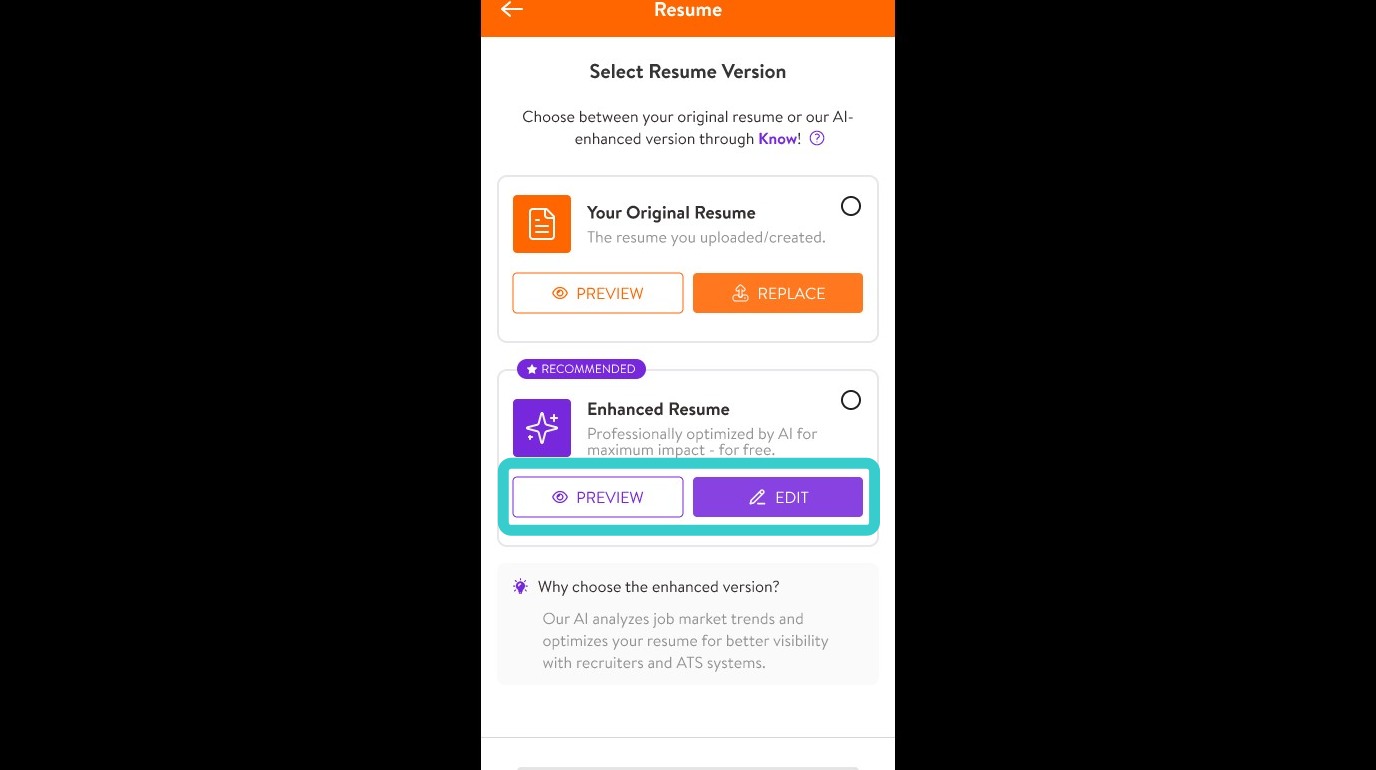
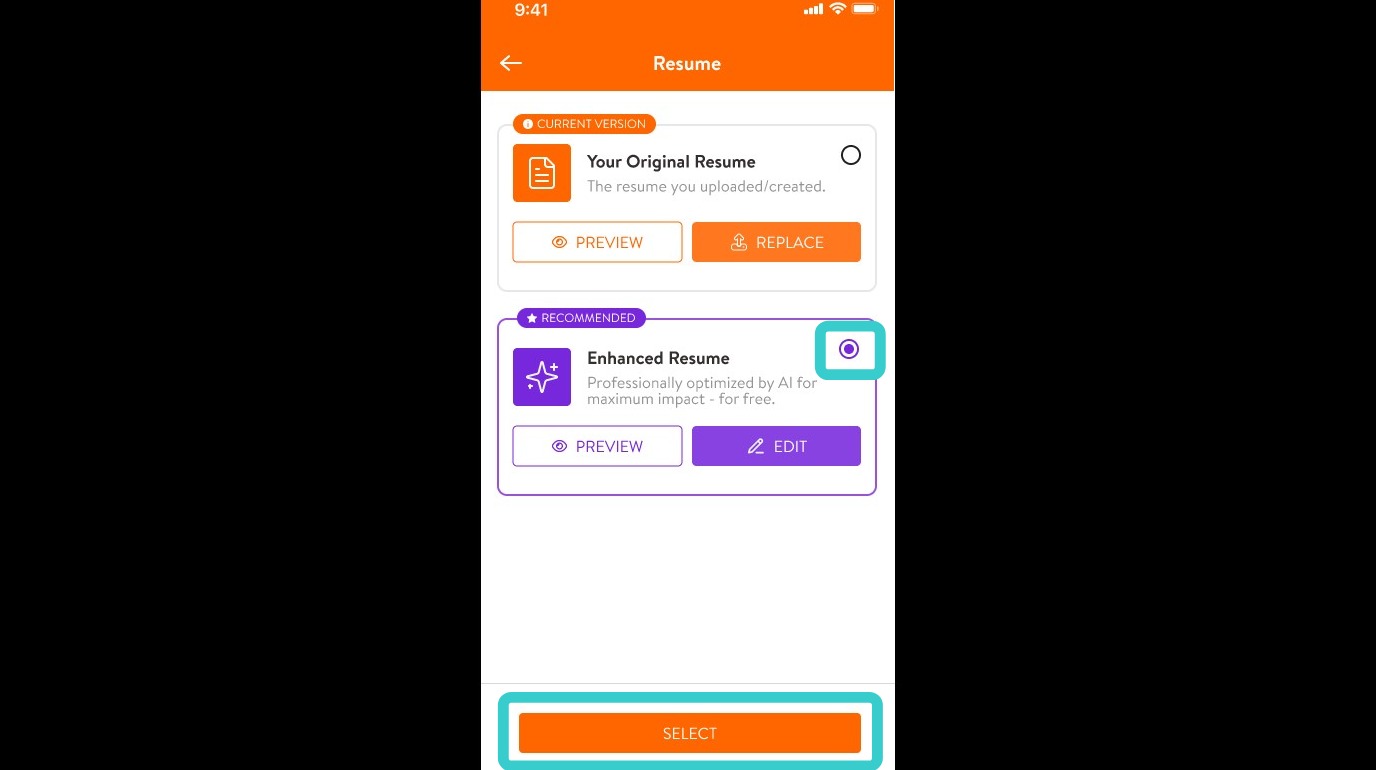
2. The app will then offer the user ability to choose between their original resume or an AI-enhanced version.
Tap PREVIEW to review this enhanced resume.
Tap EDIT to make changes to it.
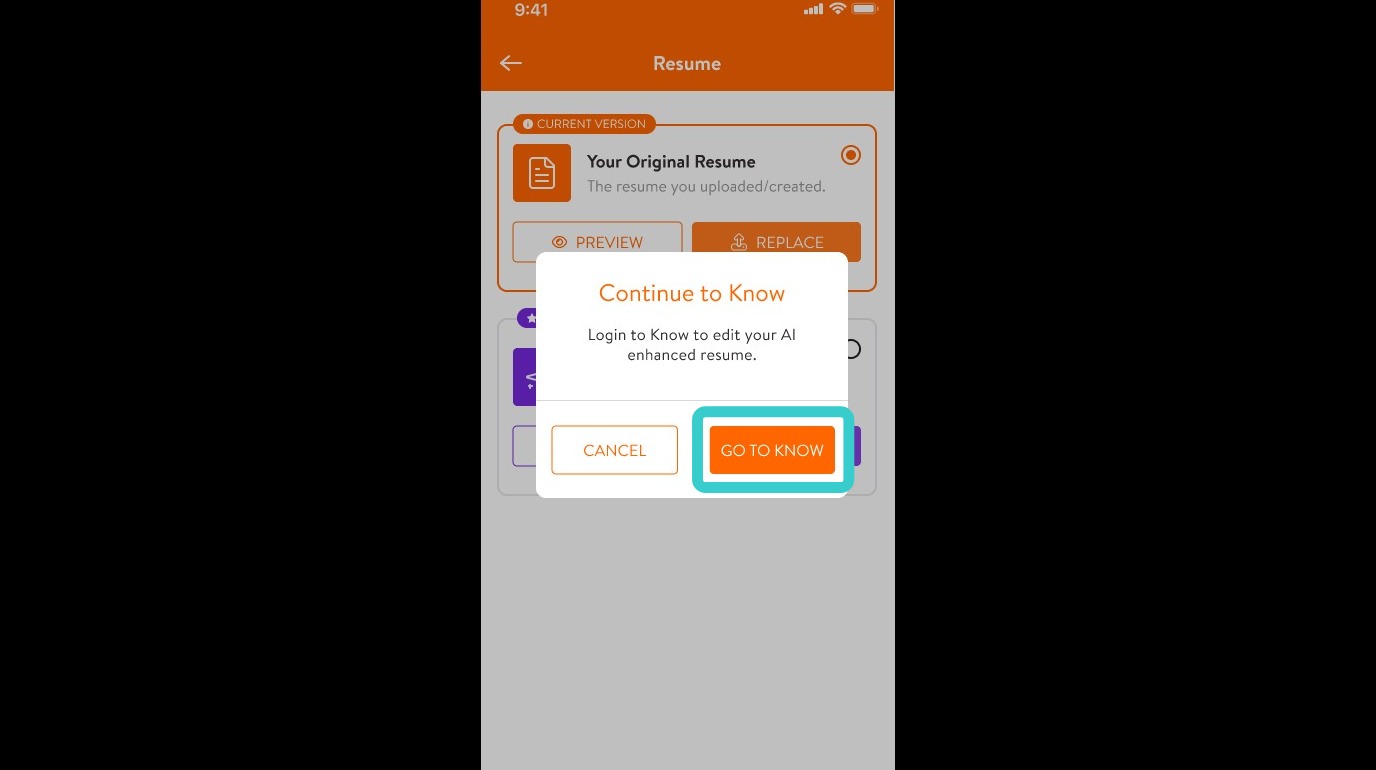
3. If editing the enhanced resume, the app will direct you to tap GO TO KNOW to make edits to the resume.
4. Once satisfied with the enhanced resume, select it to use. Tap the circle next to the resume, then tap SELECT.
5. The updated resume is now saved to the HERO/Candide’s KARE profile. With these enhancements, they are better positioned to be matched with ideal employers.
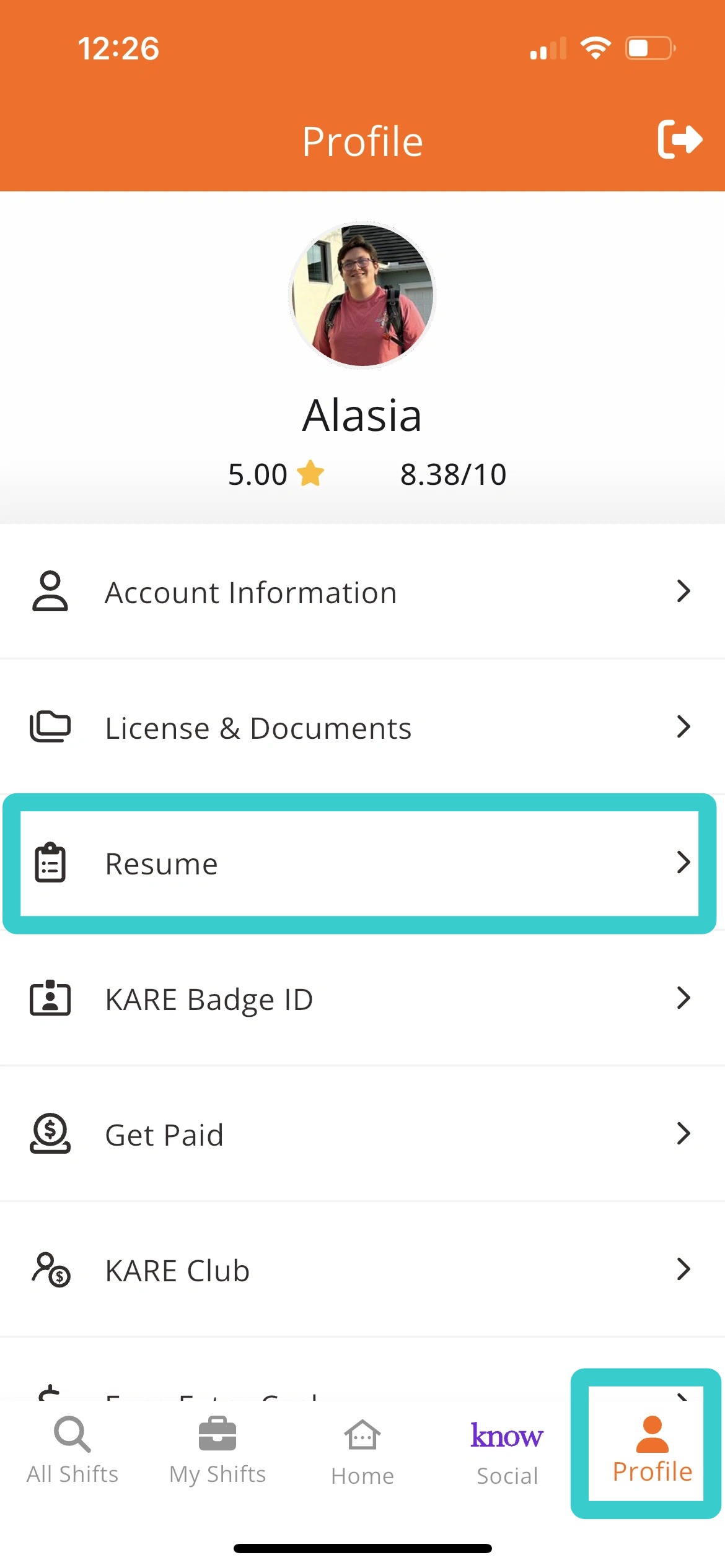
HERO/Candidates may always review their resume and make edits by tapping Profile > Resume.