
How to Review and Approve Therapy Shift Applicants
This guide shows therapy managers how to review applicants and approve the right therapist for posted shifts on KARE.
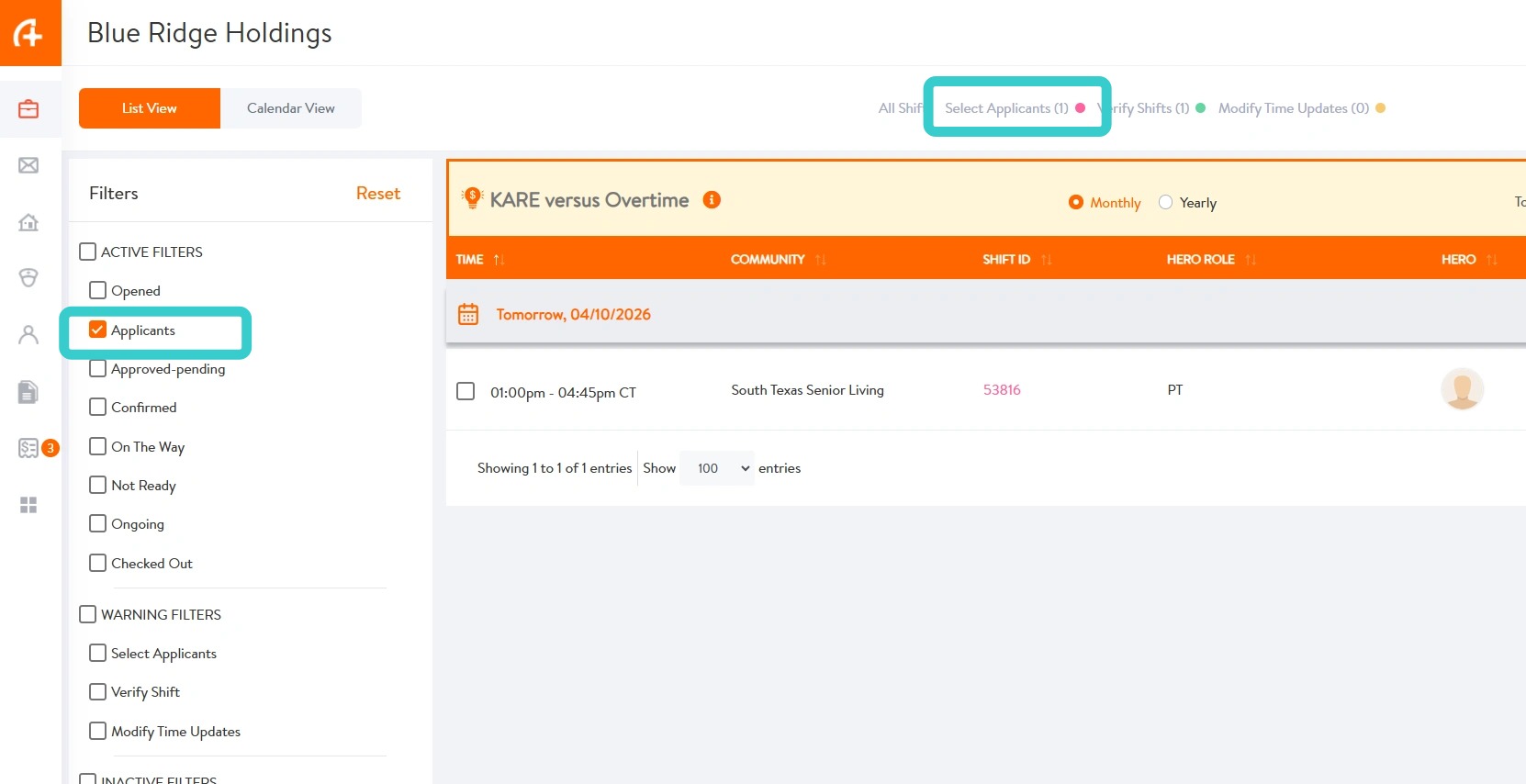
1. From the Shift Homepage, there are two ways to view shifts with applicants:
- Select the Applicants filter to display shifts with applicants
- Select the Select Applicants count at the top of the page to navigate directly to those shifts
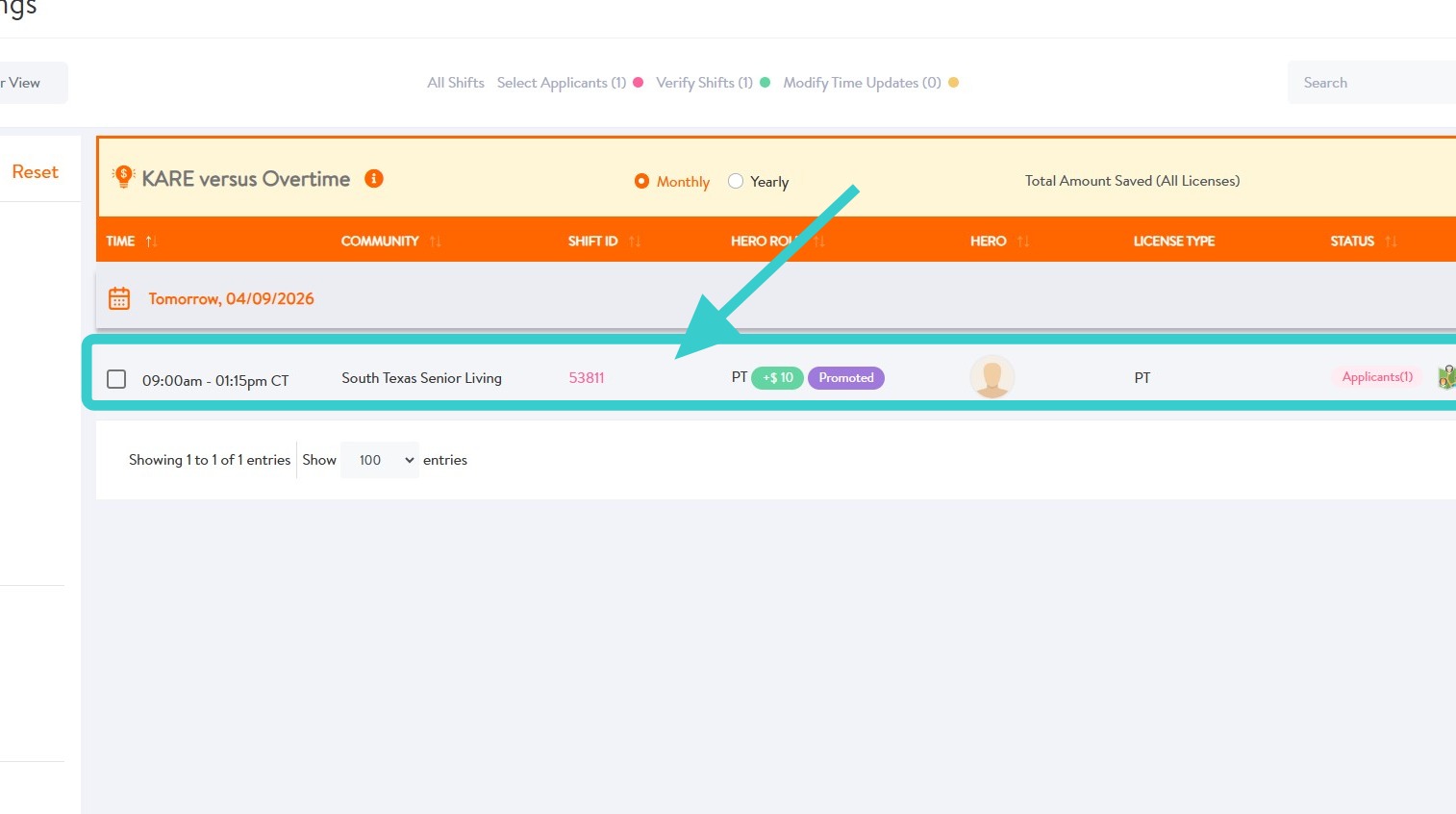
2. Click on the shift with applicants.
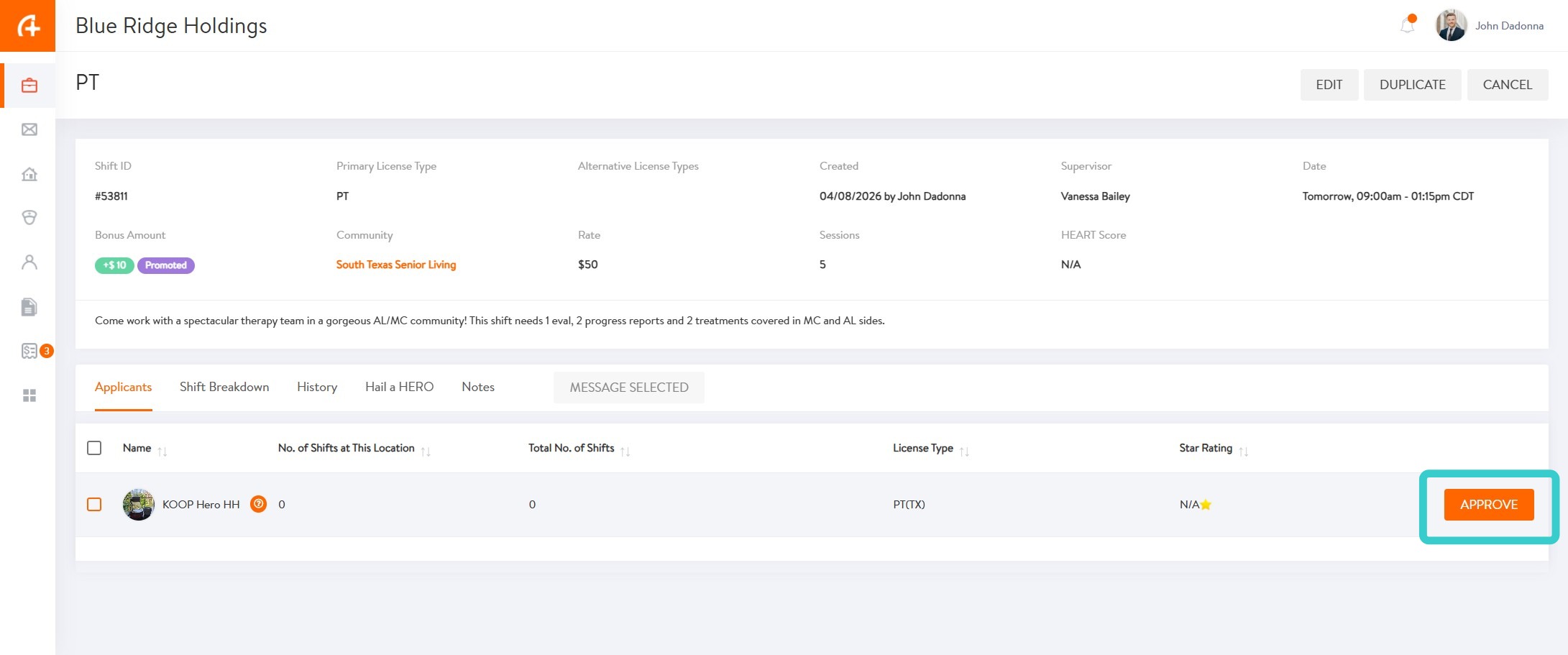
3. To approve an applicant, select APPROVE and follow prompts to finish approval.
To review more information about the applicant before approval, follow the steps below.
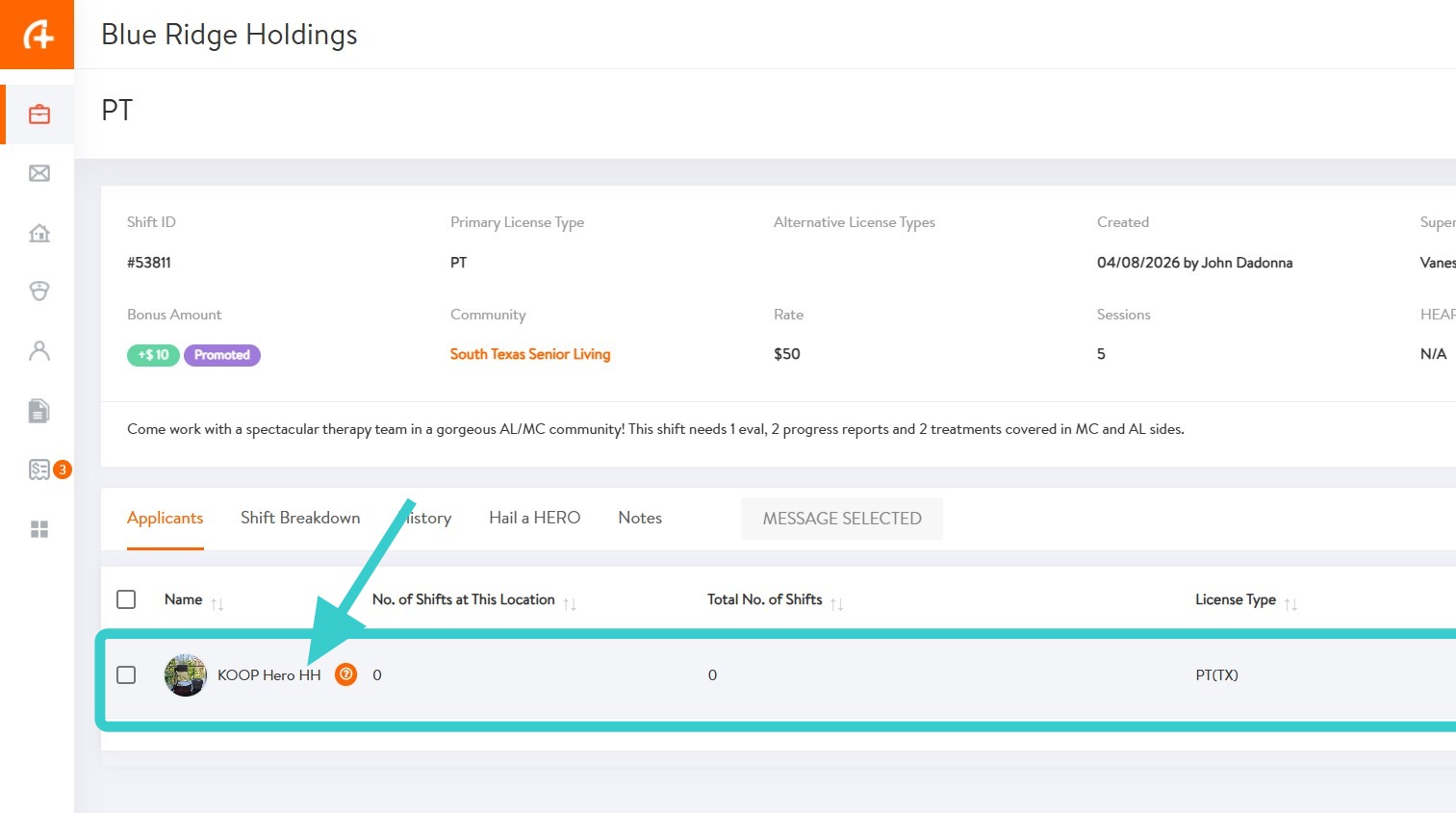
4. To view more information about the applicant, click on that applicant.
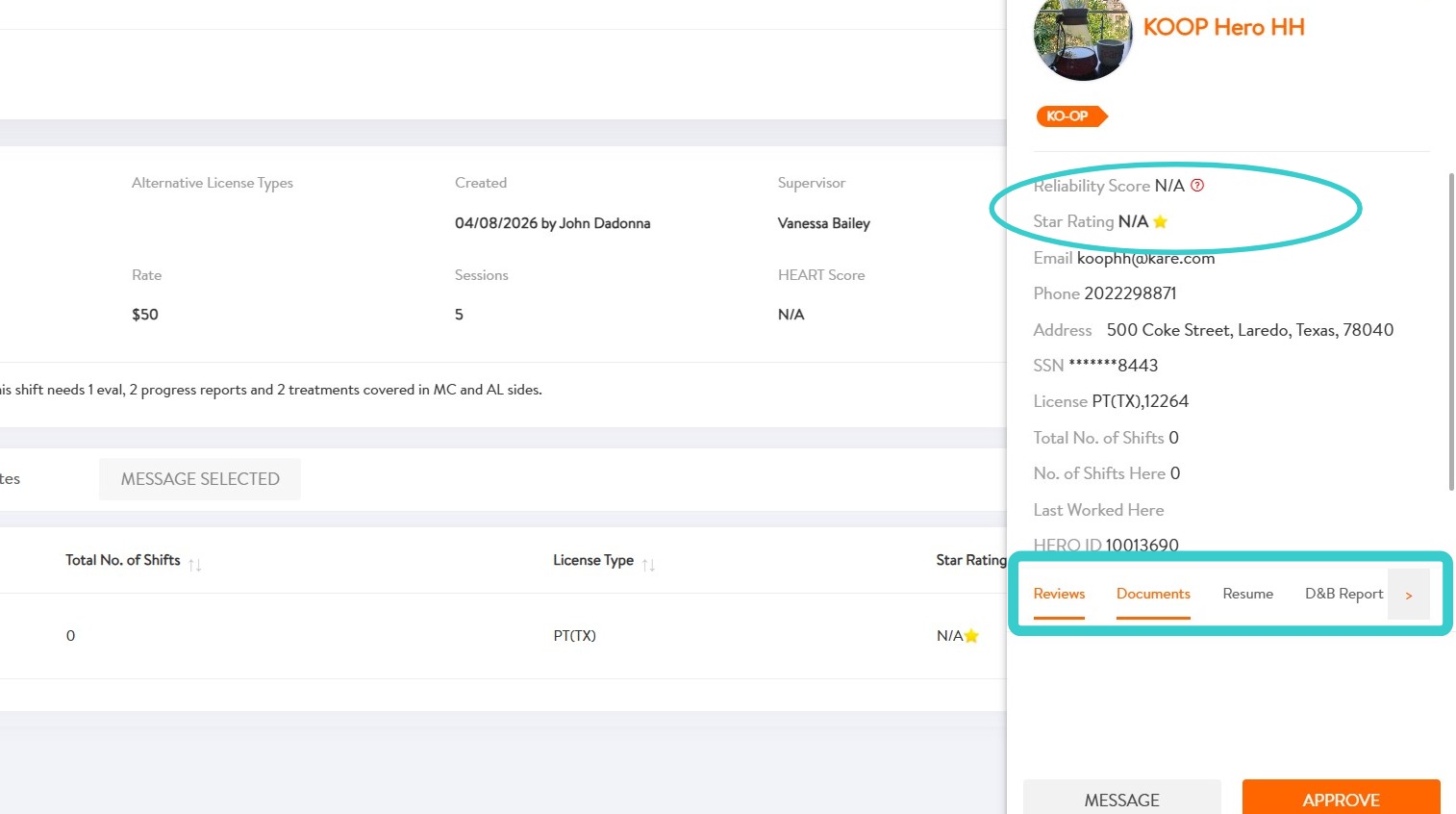
5. From the slide out bar, view the applicant’s Reviews, Documents, Resume, and more by clicking on the corresponding tabs.
- Reliability Score – Rated out of 10, based on factors such as arriving on time, avoiding cancellations, selecting Ready to Go before shifts, and picking up last-minute shifts
- Star Rating – Rated out of 5, based on reviews submitted by communities
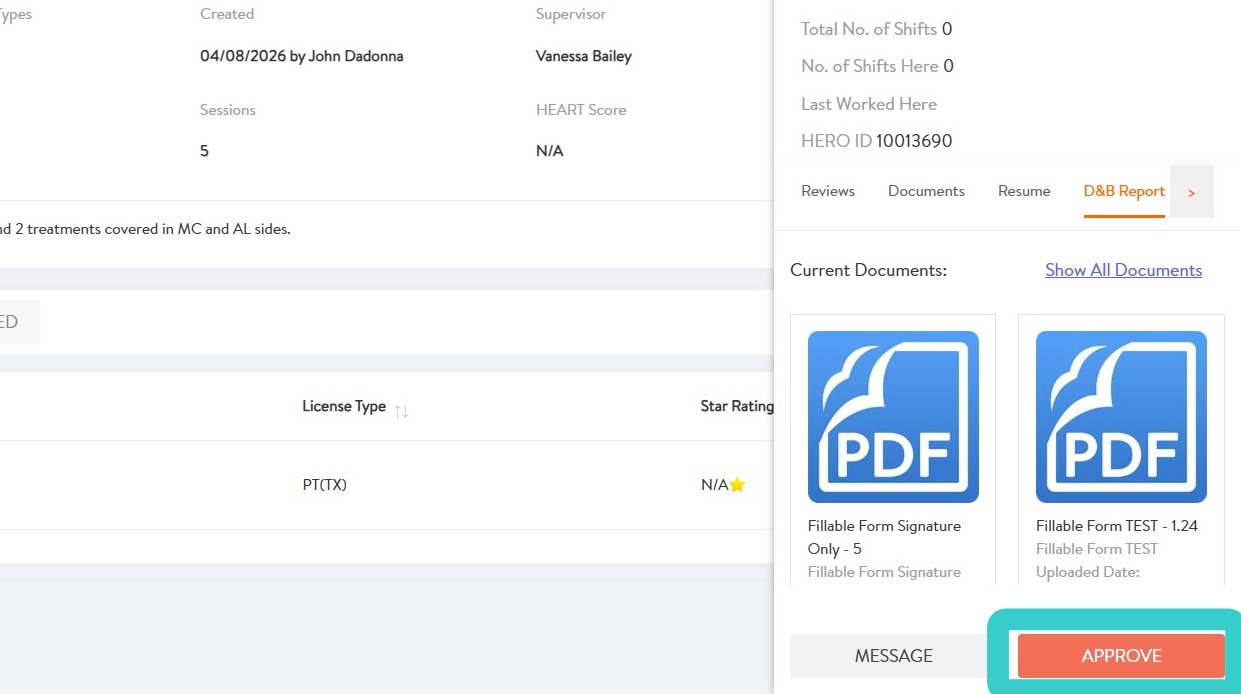
6. To approve applicant, select APPROVE
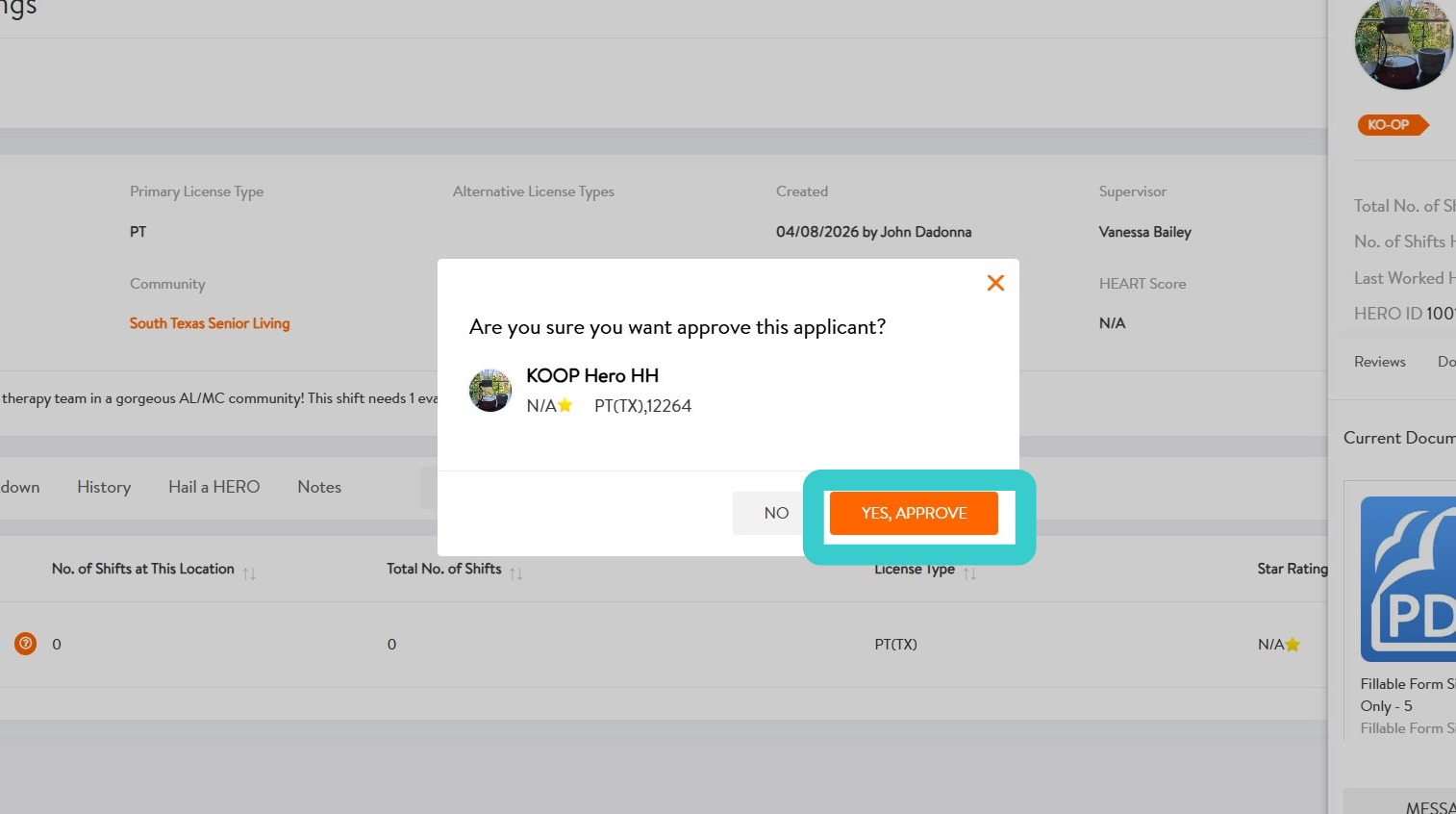
7. Select YES, APPROVE to confirm approval of applicant
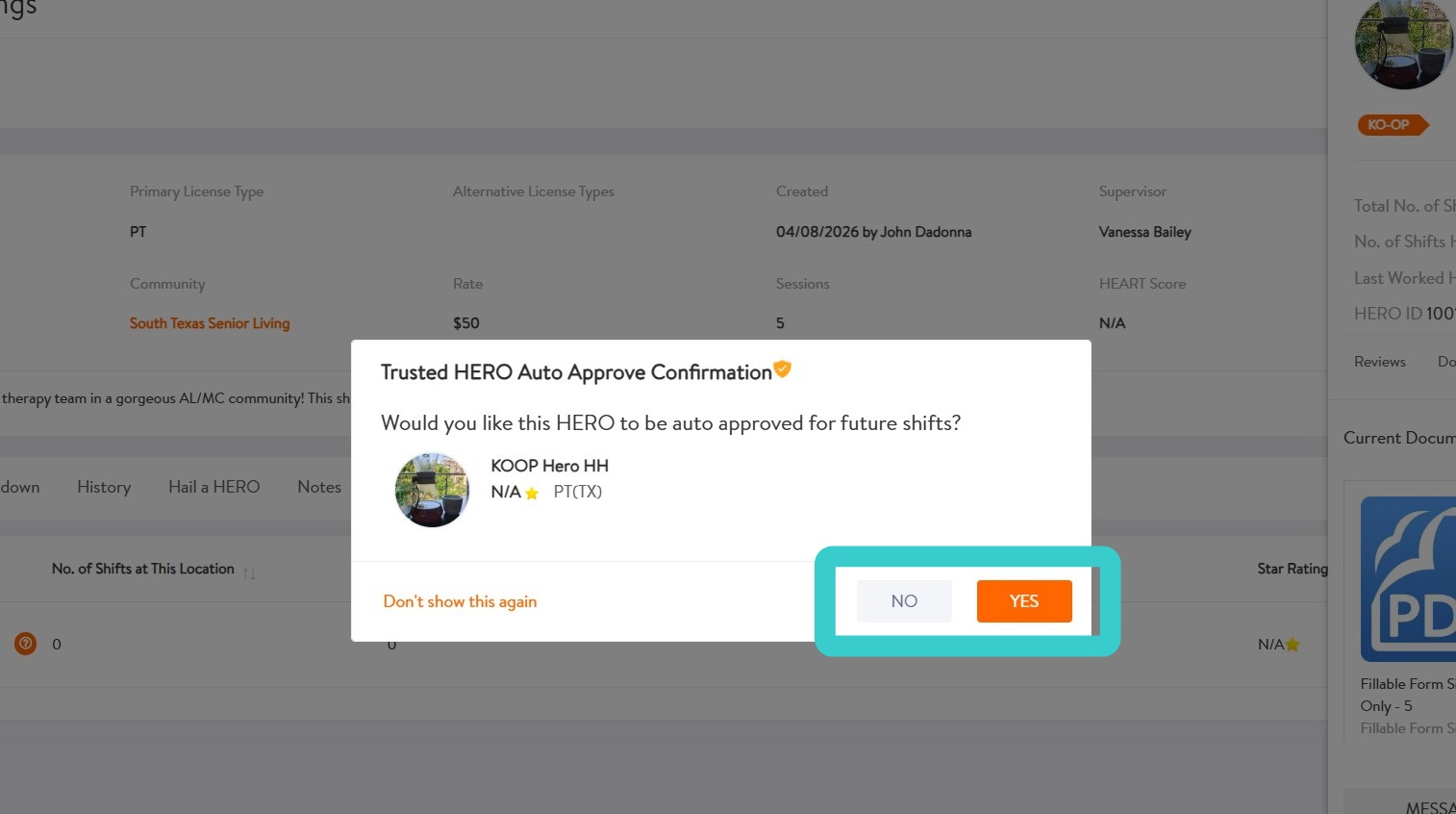
8. Select YES or NO to indicate whether this HERO should be automatically approved for future shifts they apply to.
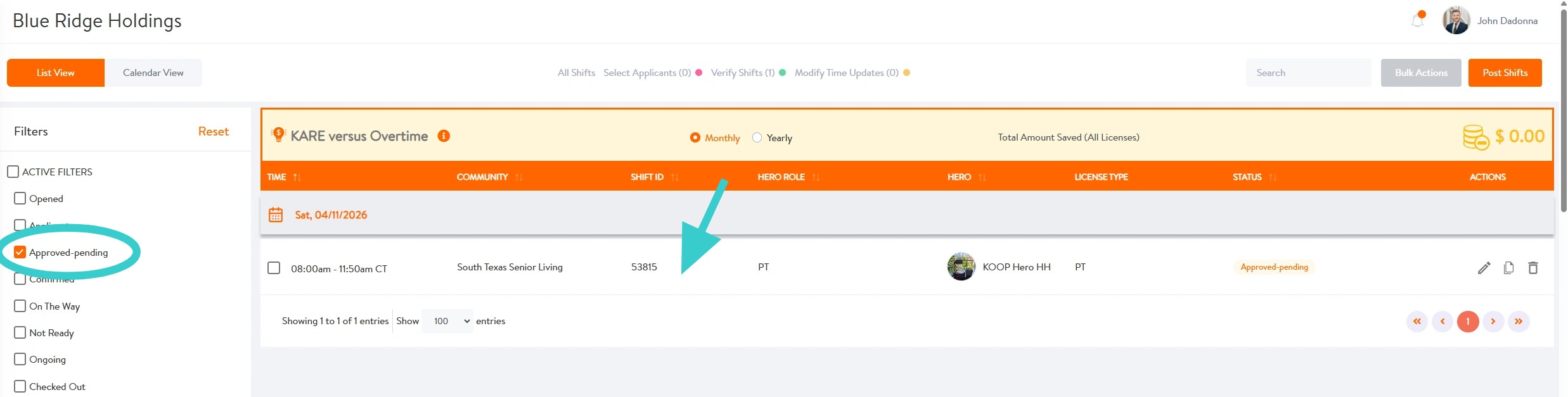
9. Congrats! You’ve approved this HERO. The shift will appear in Approved – Pending.
Next, the HERO will confirm the shift and should select Ready to Go two hours before the shift starts to indicate they’re on their way.